contact_phone
Book a
free demo

From the patient file to the polyurethane positive, without plaster and without outsourcing: everything in your workshop, with a machine that takes up 80 × 120 cm.

  • about 1 hourto mill a body jacket
  • Ø 500 × 660 mmmaximum block size
  • 80 × 120 cmfloor space, 250 kg on wheels
  • 1-2 daysof training to start producing

Who OCM is for

It is the first step into digital for a workshop that mainly produces body jackets: a compact machine, easy to learn, that fits even in small spaces. Besides body jackets it mills lower-limb sockets and insole positives.

  • Do you also make AFOs, KAFOs, cranial helmets or shoe lasts, or want faster body jackets? ORTHO 1004 EVO →
  • Want to print corsets and sockets directly, without thermoforming? Helios HS →
  • Not sure yet what to choose? Buying guide →

Real parts made with OCM

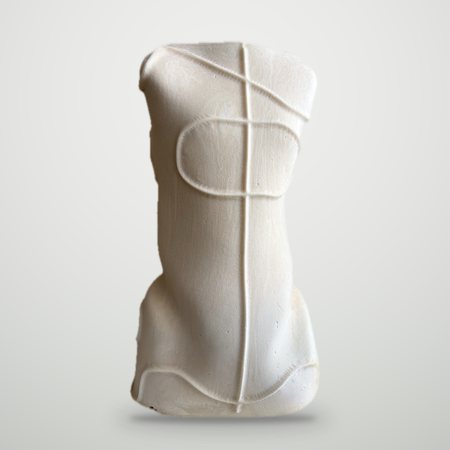
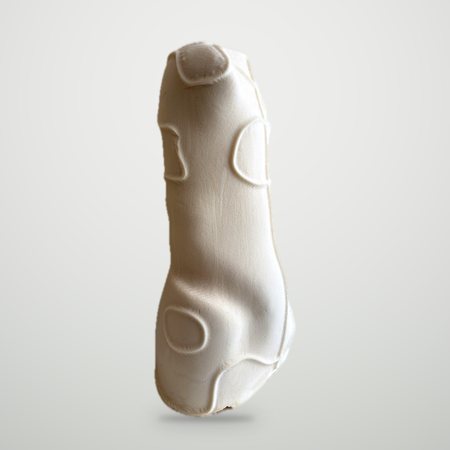
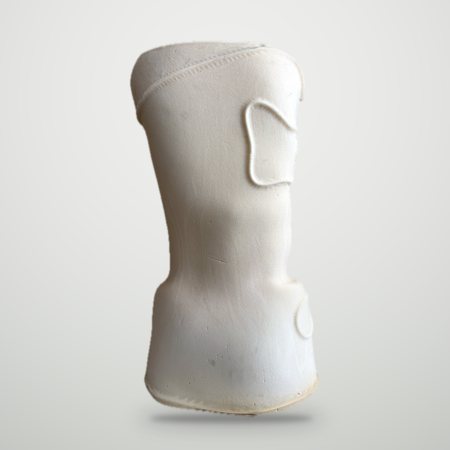
Photographs, not renderings.

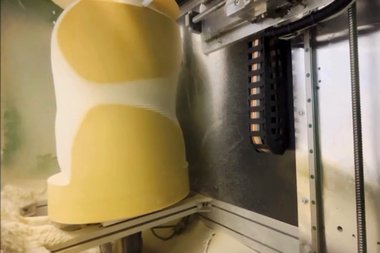
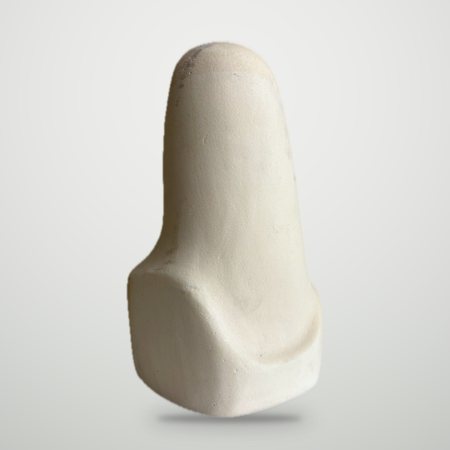
Milled body-jacket positive, with the modification marks
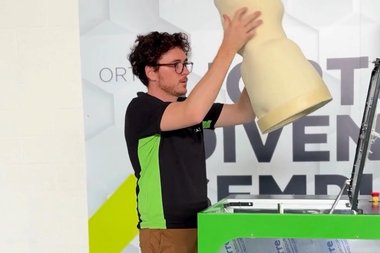
Milled body-jacket positive, side view
Milled body-jacket positive, back view

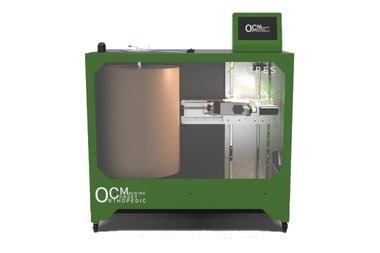
OCM – Orthopedic Corset Machine

OCM mills polyurethane positives for body jackets and corsets, and also lower-limb sockets and insole positives. It works blocks up to 500 mm in diameter and 660 mm in height, and mills a body-jacket positive in about an hour.

It takes up 80 × 120 cm, weighs 250 kg, runs on wheels and on 220 V: it fits in a small workshop without special installation.

From patient to positive in three steps

Scansione e rettifica

1 Scanning and modelling

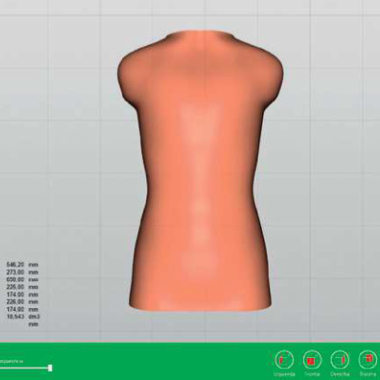
The patient is captured in a few minutes with a portable 3D scanner, with no plaster cast. The shape is then modelled on the computer with your orthopedic CAD software.

2 Milling program

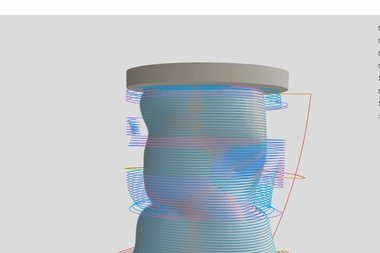
With OrthoCAM, the Satres CAM software included as standard, the program is prepared on the machine in a few guided steps, and the simulator checks the toolpath before starting.

3 Milling

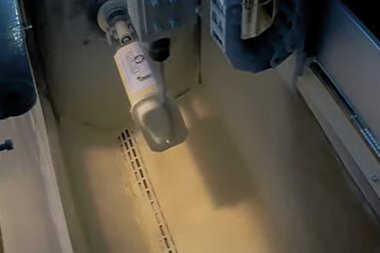
From a block up to Ø 500 × 660 mm the machine mills the positive in about an hour. Chips fall into the collection tray; with the optional extraction system you also work without dust.

OCM: frequently asked questions

How much space does it need?

About 80 × 120 cm of floor space and 1 metre in height. The machine weighs 250 kg and has wheels, so it is easy to move. The collection tray is standard; the extraction system, for dust-free work, is optional.

What power supply does it need?

A 220 V supply is enough: total installed power is 3 kW.

How long does it take to mill a body jacket?

About an hour, depending on size and chosen finish.

What can I produce?

Polyurethane positives for body jackets and corsets, lower-limb sockets and insole positives (up to 18 from one block). For AFOs, KAFOs and cranial helmets you need the fourth axis of ORTHO 1004 EVO.

Do I need CAD software?

Yes, to model the patient shape: if you already have one that exports STL files, you keep using it. The milling program is prepared on the machine with OrthoCAM, the Satres CAM software included as standard.

How long is the training, and what happens if the machine stops?

Training takes one or two days, and the OCM training videos are always available. When a Satres machine stops we answer the same day, and the built-in camera lets us watch it at work remotely. The warranty lasts one year and can be extended.

How much does it cost?

It depends on the configuration. The ROI calculator estimates in 3 minutes how much you save with your workshop's numbers and, at the end, sends you the indicative price.

Can I see it working before buying?

Yes: in our demo area in Cascina, near Pisa, or remotely by video call. Book a demo.

Read more: the guide to CNC machines for orthopedics →

Why workshops choose OCM

Goodbye plaster

Goodbye plaster

Body jackets, sockets and insole positives from the patient file, with no casts and no outsourced milling.

A body jacket in about an hour

A body jacket in about an hour

From a block up to Ø 500 × 660 mm, while you work on something else.

No CAM programmer needed

No CAM programmer needed

OrthoCAM and OrthoLIB are included as standard: the program is prepared on the machine in three steps. How the software works →

Fits a small workshop

Fits a small workshop

80 × 120 cm, 250 kg on wheels: it goes where there is no room for an industrial milling machine.

Runs on 220 V

Runs on 220 V

3 kW installed: no three-phase supply to bring into the workshop.

Support that sees the machine

Support that sees the machine

With the built-in camera our technicians watch the job remotely and answer the same day.

Productive in 1-2 days

Productive in 1-2 days

Training is included, and the video tutorials are always available.

Digital archive

Digital archive

Every job is saved: a thousand body jackets fit on a USB stick, and remaking a part never starts from scratch.

See what you can make → Book a demo

What you make with OCM

OCM mills the polyurethane positive you thermoform the device on, as you would on plaster, but starting from the patient file.

Milled polyurethane body-jacket positive

Body jackets and corsets

The corrective body-jacket positive, ready for thermoforming. Blocks up to Ø 500 × 660 mm, about an hour of milling.

Milled polyurethane socket positive

Lower-limb sockets

Lower-limb socket positives, ready for thermoforming.

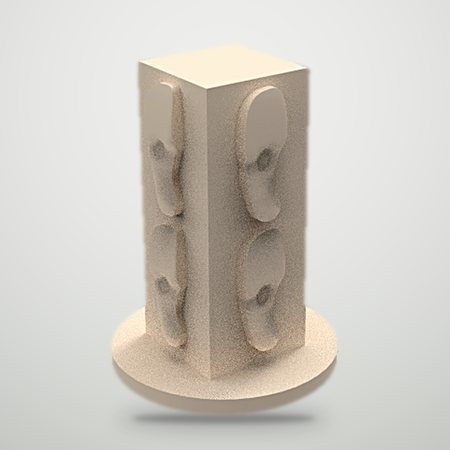
Block with several insole positives

Insole positives

Up to 18 positives, that is 9 pairs, from a single block.

Need something else?

  • AFOs, KAFOs, cranial helmets, leg-foot models and shoe lasts, or faster body jackets: ORTHO 1004 EVO →
  • Corsets, sockets, insoles and seating printed directly, without thermoforming: Helios HS →

See the technical data → Book a demo

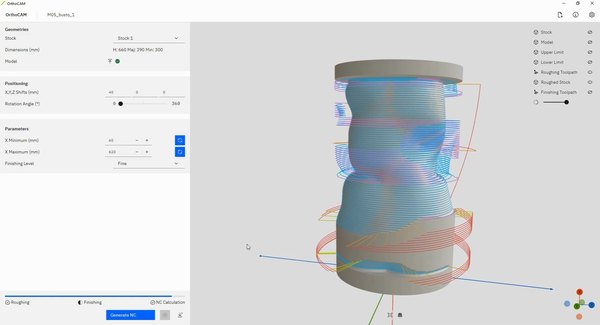
From STL file to milled body jacket, without a CAM programmer

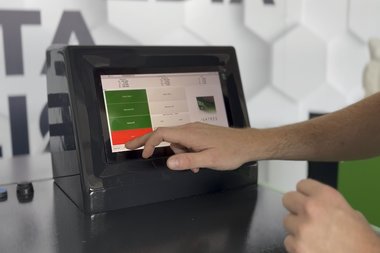
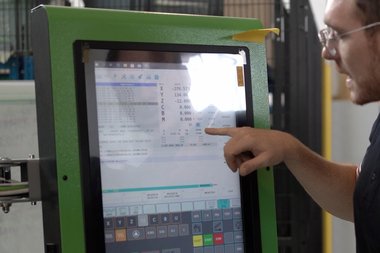
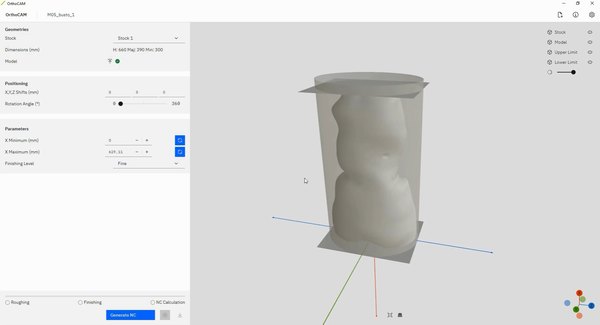
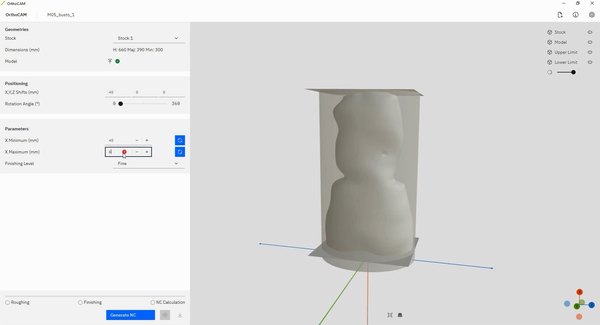
Everything is done on the machine, on the 12-inch touch screen. OrthoCAM and OrthoLIB are included as standard: no external CAM software and no one who knows how to program it.

  1. OrthoCAM: Load the patient file

    1 Load the patient file

    The STL file exported from your CAD software appears inside the polyurethane block.

  2. OrthoCAM: Position the part and choose the finish

    2 Position the part and choose the finish

    OrthoLIB suggests the roughing and finishing parameters: you just pick the level.

  3. OrthoCAM: Check the toolpath and start

    3 Check the toolpath and start

    The simulator shows the toolpath before starting; then you start from the panel.

Files
STL, from any CAD software
Languages
Italian, English, German, French
Updates
included with an active maintenance plan
PC app
archives and manages the jobs done for each patient

Watch the OrthoCAM training videos Book a demo

Working AreaX Travel700 mm
Z Travel300 mm
C AxisContinuous rotation
Drive SystemSpindle Speed Range24,000 RPM
Spindle LineSpindle TypeAir-cooled electrospindle
Spindle TaperER 32 manual
WorkpieceMax Workpiece Size500 mm (diameter) x 660 mm
General DataMachine Voltage220 V
Total Installed Power3 kW
Floor Space Required800 mm X 1200 mm
Machine Height1000 mm
Machine Weight (including base)250 Kg
Standard EquipmentCNC ControllerProprietary
Chip Collection Tray
Integrated OrthoCAM and machine kinematic simulator
OrthoLIB – Automated machining library
Simplified Programming Workflow
Optional EquipmentExtraction system

See OCM at work

Book a free demo in our demo area in Cascina or by video call: we show you the machine and answer your questions on times, costs and incentives.

Book a demo or calculate how much you save →